Booking rules
Online bookings on or off, party sizes, how far ahead and how late guests can book, and capacity limits.
Managers and owners
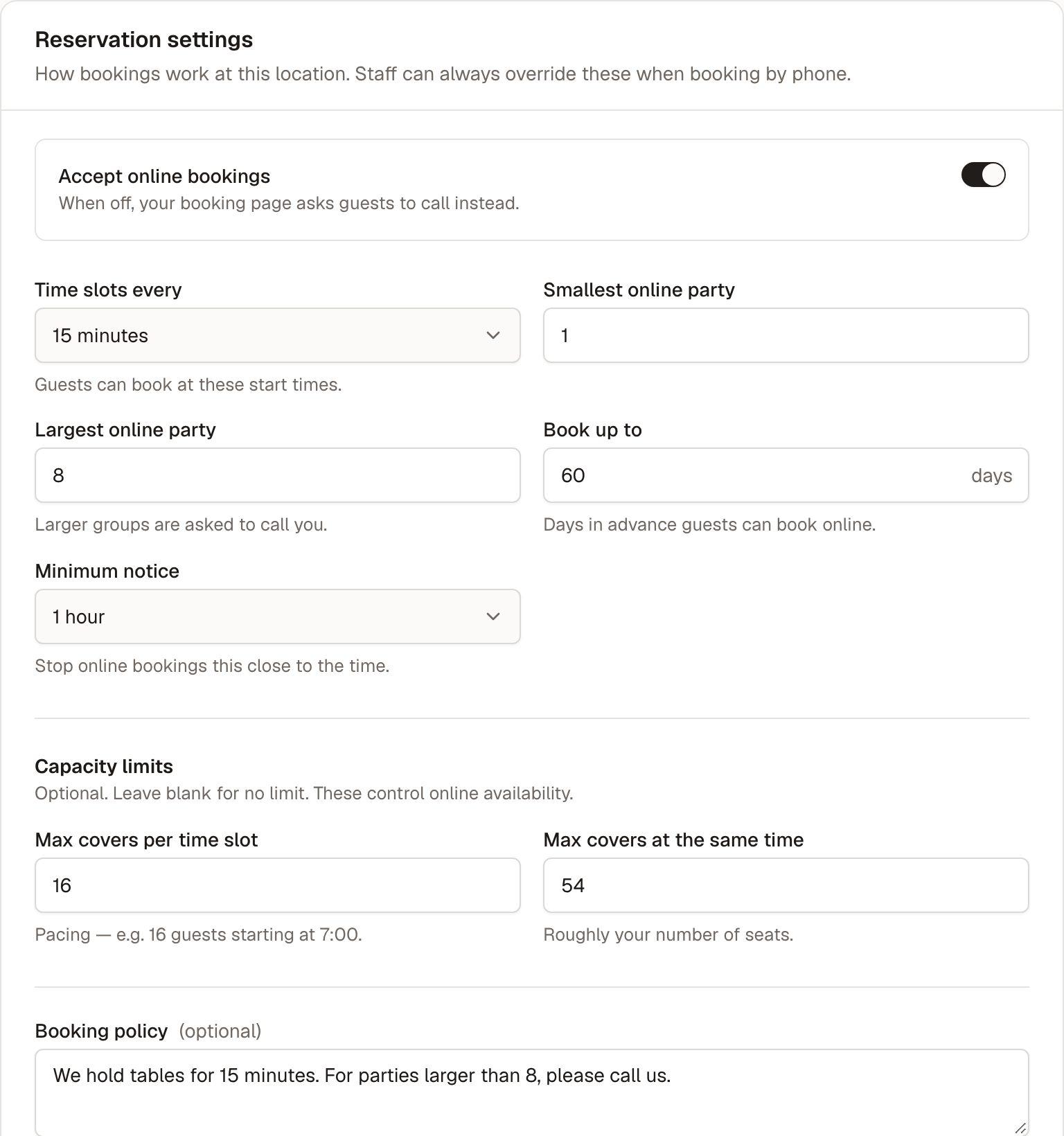
The rules
Find them in Settings → Booking rules:
- Accept online bookings — when off, your booking page asks guests to call instead.
- Time slots every — the start times guests can choose, such as every 15 minutes.
- Smallest online party and Largest online party — your booking page offers every party size in between, in one row guests slide sideways (1 to 12, then 13+, when the largest is 12). Larger groups are asked to call you.
- Book up to — how many days ahead guests can book online.
- Minimum notice — stops online bookings this close to the time.
- Booking policy — shown on your booking page, for example how long you hold tables.
Capacity limits
Optional, and only for online bookings. Max covers per time slot paces arrivals (for example 16 guests starting at 7:00); Max covers at the same time caps how many guests are in at once. Leave them blank for no limit.
Staff bookings
These rules shape what guests can book online. Staff can book outside them — a time over a limit is marked with the reason — but every booking still needs a table, and a closed time stays closed.