Guest profiles, notes and tags
Every guest's visits, preferences and notes in one place — ready before they arrive.
The guest list
Guests lists everyone who has booked with you. Search by name, phone number or email, filter the list, choose which columns to show, and select guests to tag several at once. Ready-made groups (and ones your team saves) find people such as regulars in one click.
Guests are added by themselves when someone books. Hostbook recognises a returning guest by the same email, or the same phone number with the same first name. It never merges two records by itself — see Duplicates and merging.
A guest's profile
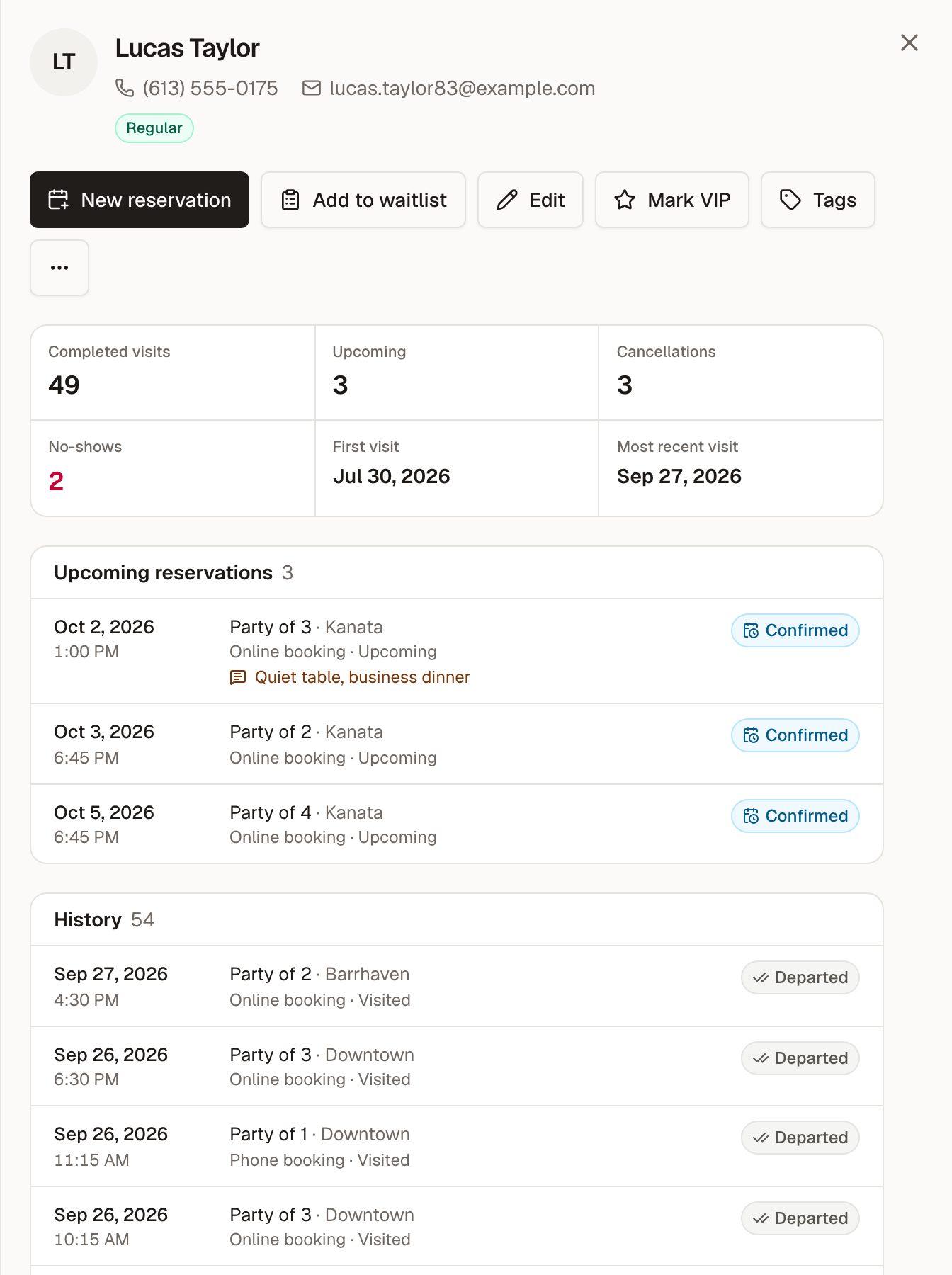
Click a guest to open their profile: completed visits, cancellations and no-shows (counted separately), first and most recent visit, upcoming bookings and their full history. With several locations, By location shows where they've been.
Preferences and notes
- Preferences are permanent: preferred seating, dietary needs, allergies, accessibility, birthday and anniversary. Staff see them when the guest books.
- Notes are dated staff notes, with who wrote them — never shown to the guest.
- Anything about just one visit belongs on that booking, under Guest requests or Staff notes.
Marketing preferences
Marketing records whether the guest agreed to marketing emails and texts. It's only about marketing — it has nothing to do with booking confirmations — and having someone's email doesn't mean they agreed.